
Understanding the pixel pitch of an LED screen is essential for a successful installation. This guide explains what pixel pitch is and its crucial influence on image sharpness. This measurement, expressed in millimeters, defines display quality based on pixel spacing. Choosing the right LED pixel pitch ensures optimal viewing distance.
What Is LED Screen Pixel Pitch?
LED screen pixel pitch represents the distance between the centers of two adjacent individual pixels. This parameter, measured in millimeters, directly affects image clarity. A smaller LED pixel pitch delivers significantly higher resolution. Understanding the concept of pixel pitch is fundamental for achieving a perfectly sharp image.
Pixel Pitch and LED Pixel Definitions
LED screen pixel pitch precisely indicates the measured distance from the center of one pixel to the center of its immediate neighbor. But what exactly is a pixel pitch? It is the distance denoted as “P”; for example, a P3 LED screen carries the designation P3 and delivers remarkable resolution. This standard makes it easy to compare models and manufacturers.
- Bidirectional measurement: LED pitch is measured both horizontally and vertically across the surface of the LED screen.
- Reference unit: It is always calculated in millimeters, giving a precise indication of overall pixel density.
- Direct visual impact: A smaller pitch produces a sharper image and eliminates blurriness.
- Correlated density: Reducing pitch increases component concentration, improving perceived resolution.
What is a pixel in an LED screen? It is the basic unit that forms every image. Composed of three diodes (Red, Green, Blue), this luminous point mixes its colors to reproduce the full spectrum. Display quality depends directly on the total number of individual pixels, as high pixel density allows greater precision.
How Pixel Pitch Is Measured in Practice
Measurement runs from the center of one pixel to the center of the next pixel, representing the actual spacing between luminous points. The distance separating these two points is strictly measured in millimeters, enabling objective comparison between equipment. This is why a P4 LED screen (4mm pitch) offers excellent near-field visibility.
This measurement applies equally on both vertical and horizontal axes of the display. A 3 mm gap, for instance, leaves a slight margin to minimize unwanted reflections. This technical precision is essential for determining optimal viewing distance and the final resolution of the screen.
Pixel Pitch and Pixel Density: What Is the Relationship?
A low pixel pitch mechanically results in higher pixel density across the screen surface. Conversely, a larger pitch means the luminous components are more spread out. Halving the gap quadruples the density, significantly improving visual rendering and sharpness.
This concentration determines the level of visible detail on your screen. With sufficient pixel density, you can approach the LED screen very closely without discerning individual pixels with the naked eye. The right pitch depends entirely on the intended use: a storefront, showroom, or outdoor display each require different spacing.
Pixel Pitch and LED Screen Resolution: What Is the Connection?
The overall resolution of an LED screen is directly determined by the panel dimensions and its pixel pitch. A small pitch, or fine pitch, allows more pixels to be packed into the same surface area. Such a screen displays significantly sharper and more detailed images.
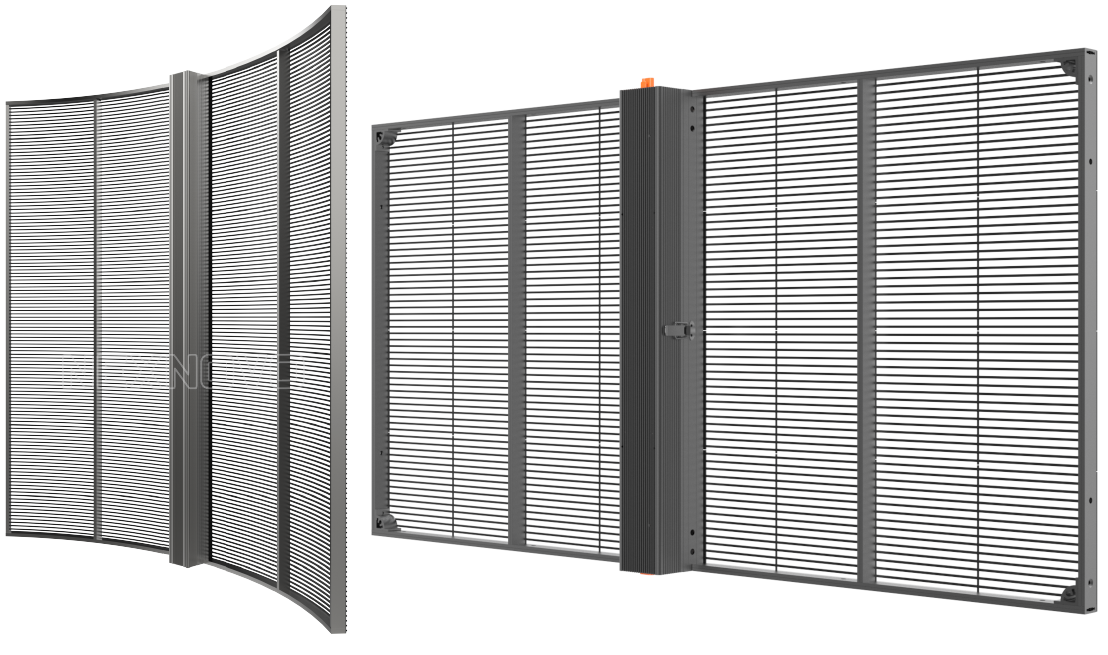
How Pitch Influences Screen Resolution
This spacing defines the screen resolution by determining the number of luminous points per square meter. For example, a 1.5 mm gap offers far more detail than a 4 mm pitch. This difference explains why visual sharpness varies so greatly at the same physical size.
With a smaller value, maximum image clarity improves considerably. A fine pitch allows crisp text and complex graphics without defects. Conversely, a wider spacing limits content to simpler visuals.
Expected Resolution Based on Chosen Pixel Pitch
The best LED screen resolution is achieved with reduced spacing on a suitable surface. A 2 m by 1 m panel with a 1.5 mm pitch delivers near-Full HD visual quality. The same panel with a 4 mm pitch would be ideal for simple visuals but insufficient for precise video.
- Fine pitch (P1.2–P2.0 mm): very high definition, ideal for storefronts requiring close-range viewing.
- Medium pitch (P2.5–P4 mm): moderate sharpness, perfect for large halls or indoor spaces.
- Wide pitch (P5–P6 mm): basic display, suited for panels designed for far viewing.
- Very wide pitch (>P6 mm): minimal quality, mainly for façades and outdoor projects visible from a distance.
Screen resolution also varies with overall surface dimensions. A 5 m² panel will always deliver better definition than a smaller device with the same pixel pitch. Analyzing the installation location carefully is therefore necessary to optimize final rendering.
Choosing the Right Pixel Pitch for Your LED Screen
To choose the pixel pitch for your LED screen, consider the viewing zone, the content displayed, and your budget. A simple rule exists: multiply the pitch in millimeters by 1,000 to get the optimal viewing distance in meters. This method ensures optimal display quality and improves the return on your investment.
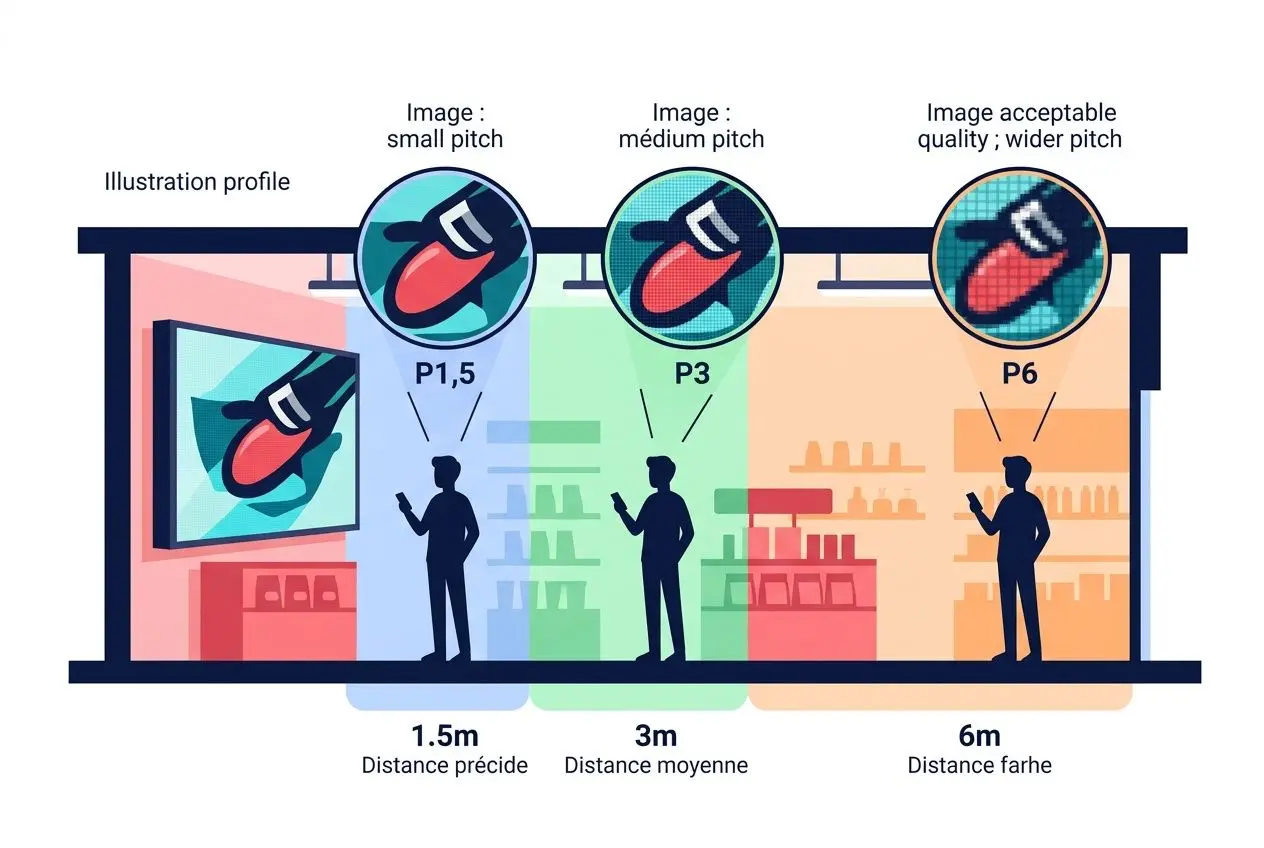
Practical Rule for Calculating the Ideal Pixel Pitch
To determine the standard resolution of an LED screen, a universal rule is often applied. Simply multiply the millimeter value by 1,000 to get the recommended viewing distance. For example, a screen with a 3 mm pitch (P3) offers optimal visual comfort at about 3 meters.
- Basic formula: Pitch (mm) × 1,000 = Optimal Distance (m). This formula applies in most cases.
- Inverse formula: Planned Distance (m) ÷ 2 = Maximum Recommended Pitch. Useful for estimating your needs based on viewing distance.
- Comfort margin: Add approximately 0.5 to 1 meter to the result to ensure comfortable viewing and avoid eye strain.
This approach prevents two common and potentially costly mistakes. A pitch too fine for far viewing will be unnecessarily expensive, as its details won’t be visible. Conversely, a pitch too wide for near viewing will create a pixelated image, potentially harming your communication.
Of course, the ideal viewing distance varies with your spatial setup. In front of a storefront, people typically stand 1 to 2 meters away, while in a spacious hall, the reading distance can reach 3 to 5 meters. Adapting resolution to your actual situation avoids overspending on an oversized setup.
Which Pixel Pitch According to Distance and Application?
Each sector has its own criteria for choosing a dynamic display. Ultimately, what is pixel pitch but an essential technical parameter that connects spatial constraints to economic viability? Your context will always determine the viewing distance and the nature of the content displayed.
Specialists rely on practical cases to recommend the right equipment. For instance, a control room typically needs a pitch between P0.9 and P1.5 mm, while a premium showroom would rather opt for P1.2 to P2.0 mm. Exhibition spaces often suffice with P2.5 to P4 mm, and outdoor installations can accept pitches up to P10 mm.
| Application Category | Recommended Pitch | Viewing Distance (m) | Content Type |
| Control room | P0.9–P1.2 mm | 1–2 m | Text, data, detailed graphs |
| Premium showroom | P1.5–P2.0 mm | 1.5–2.5 m | HD video, high-res photos |
| Commercial hall | P2.5–P3.5 mm | 3–5 m | Video, images, dynamic announcements |
| Exhibition space | P3–P4 mm | 4–6 m | Mixed content, promotional video |
| Outdoor façade | P5–P10 mm | 6–20 m | Simple images, logos, large text |
Pitch of 3 mm vs. 4 mm: How to Choose
Choosing between a 3 mm pitch and a 4 mm pitch is a common dilemma. The P3 mm offers better display quality with a sharper image, albeit at a slightly higher cost. Remember that pitch is the physical distance between LEDs, and this characteristic is always decisive.
P3 mm is particularly well suited to luxury shops and showrooms where visual precision demands are high. The investment is justified by the remarkable visual impact of high-definition content. Meanwhile, P4 mm often suffices for signage with a reading distance of 4 to 6 meters.
Our FlexLedLight P3 mm product represents the ideal compromise for your commercial spaces. Its high pixel density ensures exceptional display quality while remaining financially accessible. Each module adapts easily to your specific configuration and aligns perfectly with your audience’s viewing distance.
Frequently Asked Questions
What exactly is LED screen pixel pitch?
LED screen pixel pitch is the distance measured in millimeters between the center of one pixel and the center of its immediate neighbor. This key parameter defines the display’s pixel density. The lower the value (a fine pitch), the higher the resolution and image quality.
What viewing distance should I follow based on my LED pitch?
The recommended viewing distance is obtained by multiplying the pitch value (in millimeters) by 1,000. This calculation indicates the minimum distance at which the human eye can no longer distinguish individual pixels, known as the fusion distance. For optimal comfort, a slightly greater viewing distance is recommended.
Which pixel pitch should I choose for a showroom or store?
For a showroom or store where viewers are close to the screen, choose a fine pixel pitch, ideally between 1.5 and 3 mm. Such a pitch ensures high resolution and a sharp image even at close range.
This finer pitch is necessary to deliver remarkable display quality and present detailed visual content. It significantly enhances the visitor experience. The P3 model, for example, offers a good balance between superior resolution and a reasonable investment.